Charts that tell the truth: losses, shares and readable numbers
A chart that looks fine can still mislead. We went through a real report the way a Power BI user would, found five places where our charts bent the truth or made people squint, and fixed them.
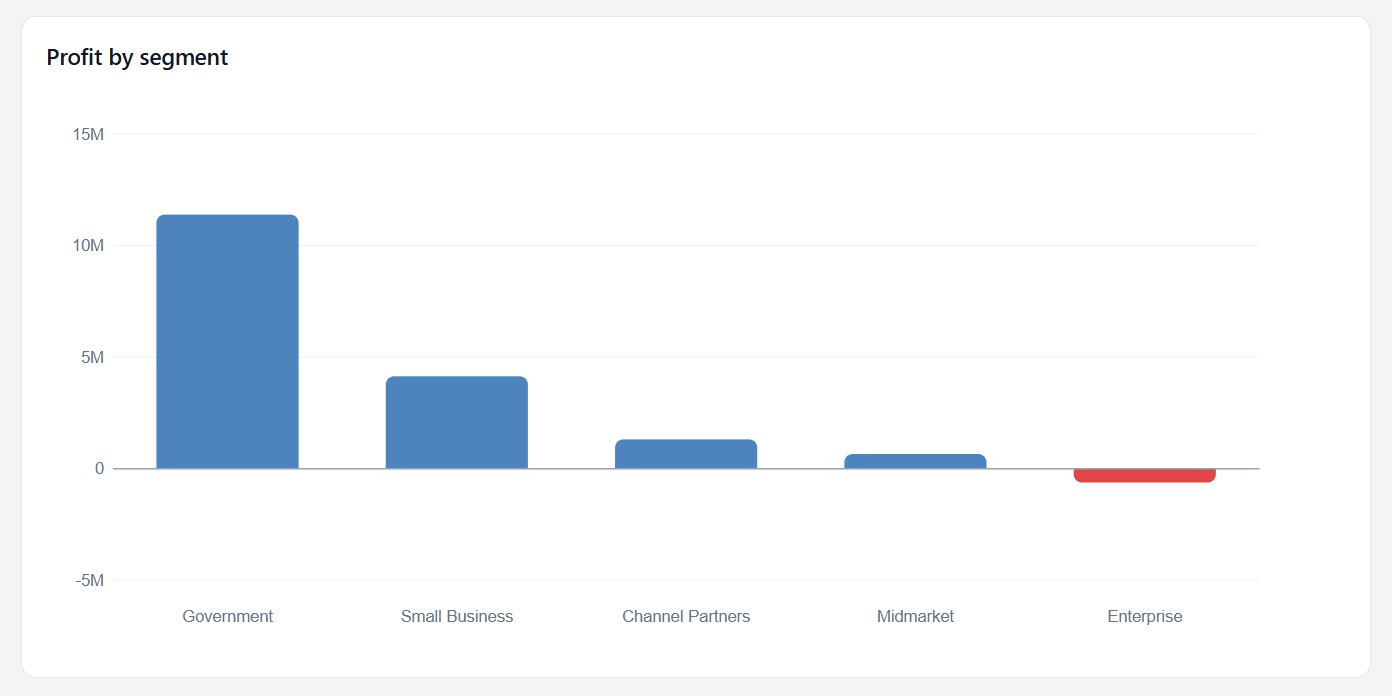
A loss looks like a loss
When one segment loses money, its bar now goes below zero, in red, with a zero line to read against. Before, a negative total could look like a short positive bar.
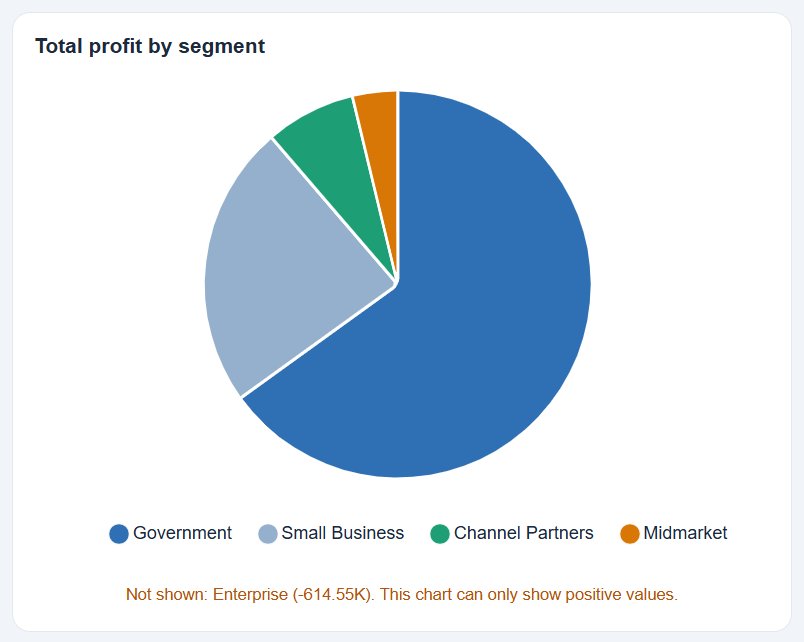
Pies, donuts, treemaps and waffles can't show a negative part of a whole, so they now say so ("Not shown: Enterprise (−614.55K)") instead of quietly drawing the loss as a positive slice.
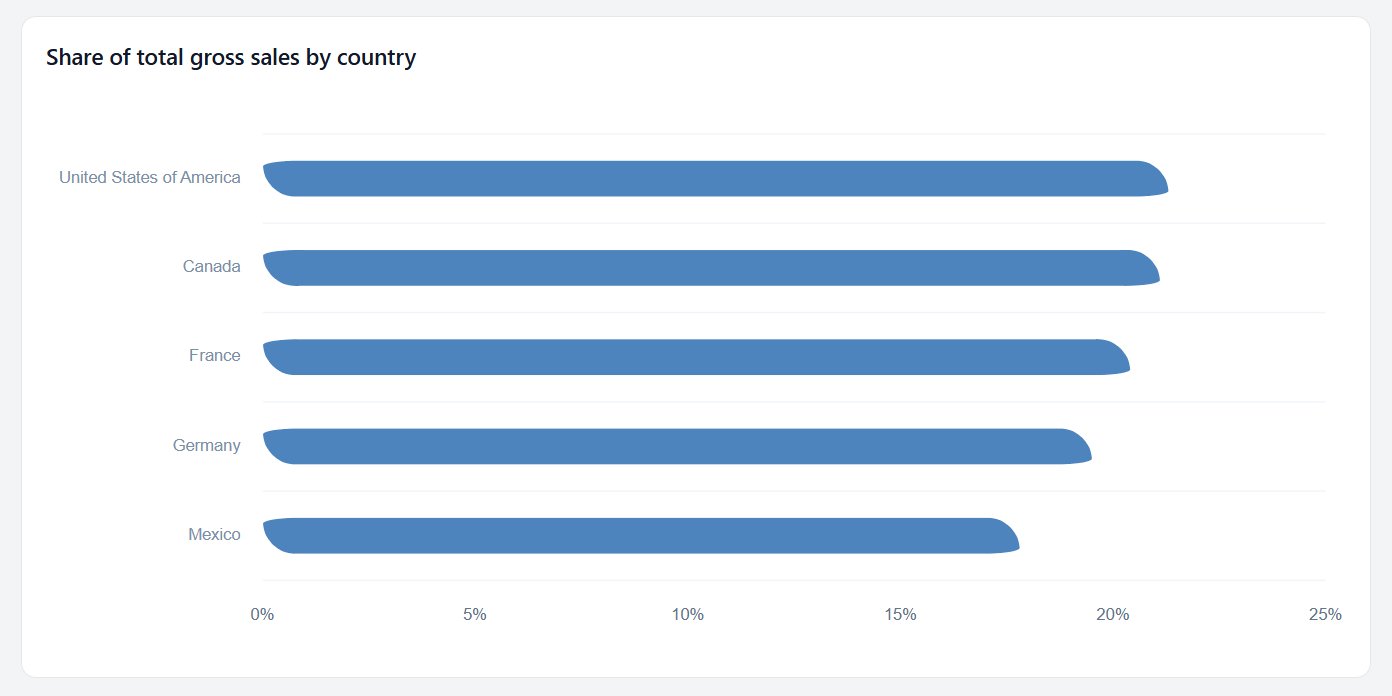
Shares that add up
The progress-bar visual used to cap every value at 100, so with sales in the millions every bar was full. It now shows each row's share of the total (about 20% each for five similar countries), with the % on the axis where it belongs.
Numbers you can read at a glance
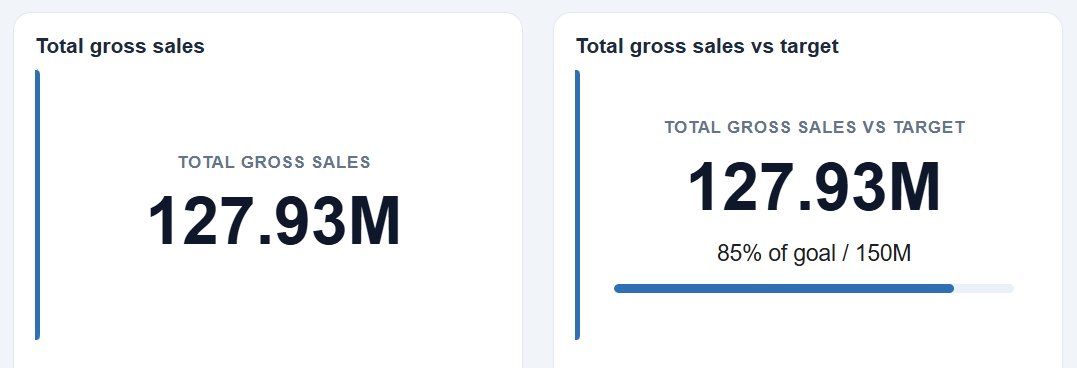
KPI cards show 127.93M instead of 127,931,598.5; the exact figure is one hover away. The thin line under the number only appears when you set a target, so it always means "% of target".
Names you can read
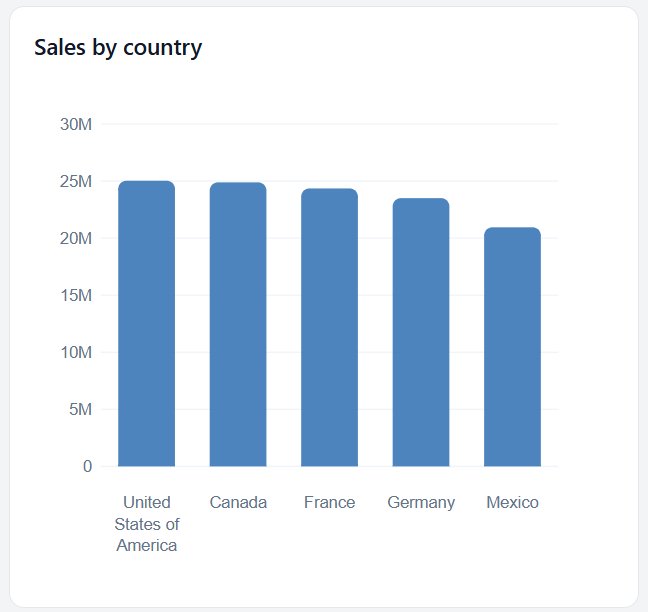
Long category names such as United States of America now wrap onto two or three lines under the bar instead of being tilted and cut to "United States o…". Every bar of a single series is one colour, so colour only appears when it means something, like red for a loss.
Put a visual exactly where you want it
Report pages can now switch to Free layout: drag any visual anywhere, let it overlap another, and choose which is on top. It snaps to a grid and to the other visuals, and Alt turns snapping off.
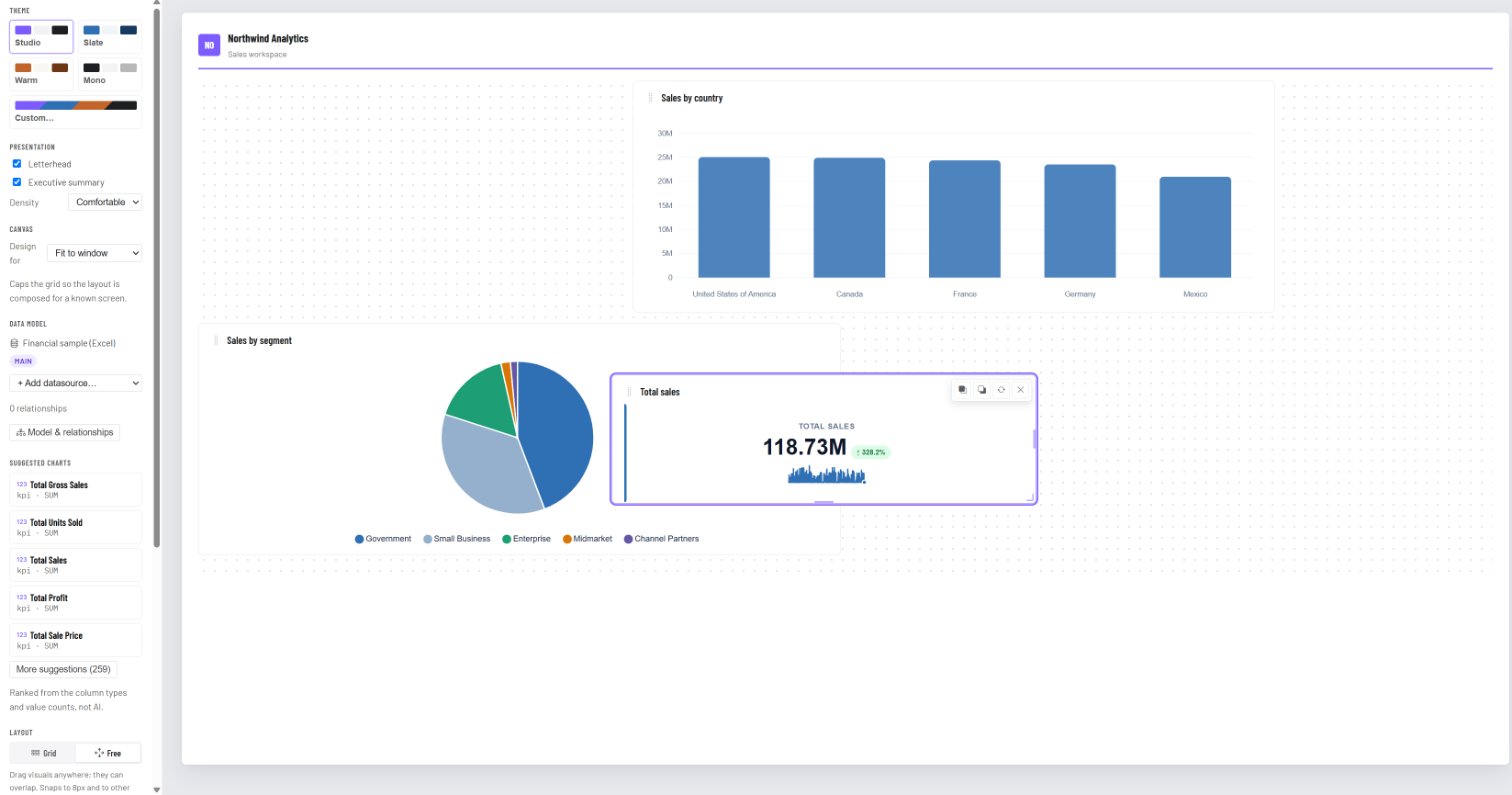
See Free layout for the details.
Also new this month
Reports can now combine several datasources, relate their tables and use DAX-style measures. Read A Power BI-style data model and DAX measures, right in your browser.
Your first report is free: no credit card, no time limit.