How to share a report with someone who has no account
You built the report. Now your client, your boss or your investor needs to see it, and they don't have an account. Many BI tools now ask for a licence per viewer, a guest invite, or an export to PDF that is out of date the moment you send it.
There's a simpler way: a link.
Three steps
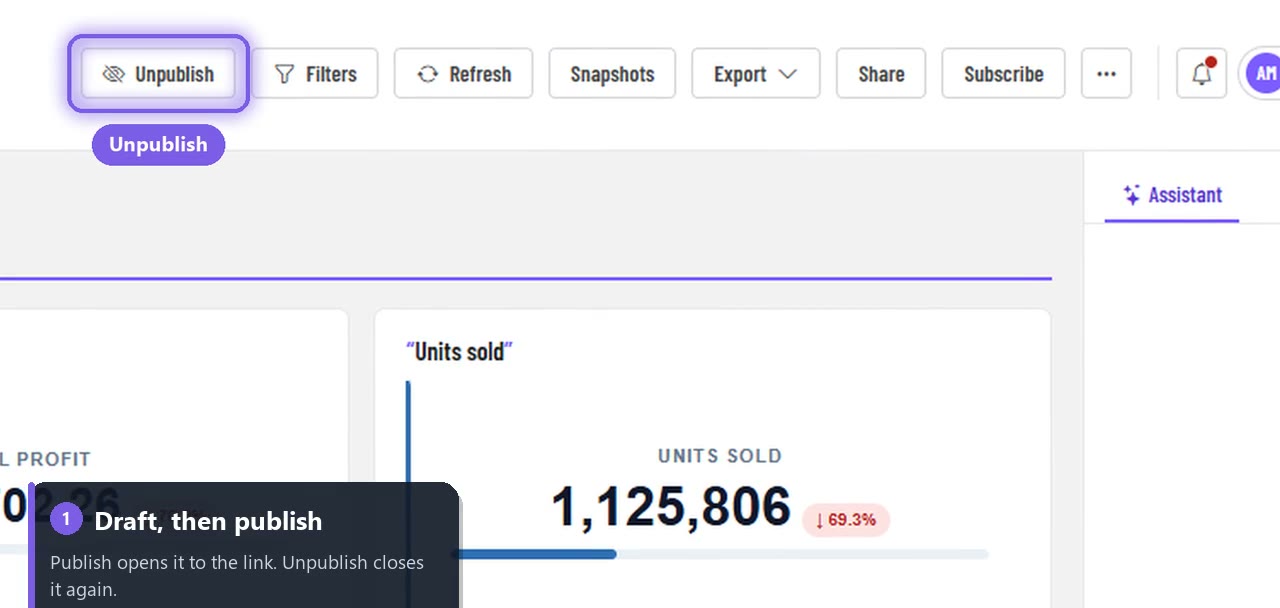
- Publish the report. It starts as a draft that only your workspace can see; publishing opens it to anyone with its link.
- Choose Share, then Create link.
- Copy link and send it.
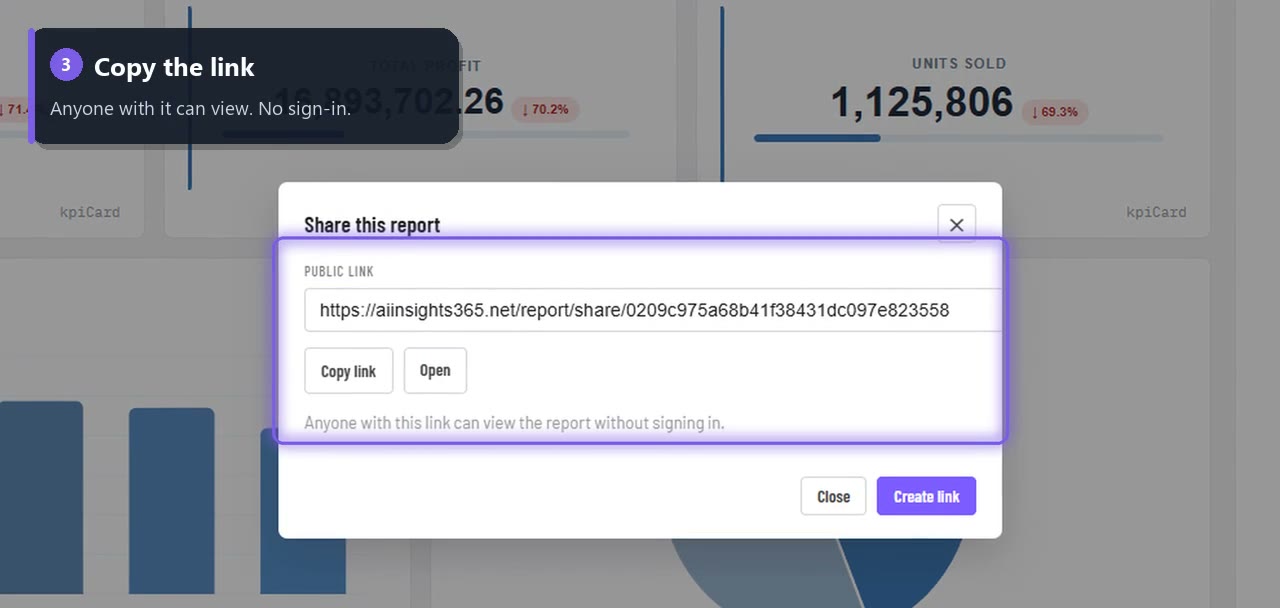
Your reader opens it in any browser, on a laptop or a phone. No sign-in, no install, no licence. It's read-only, and the numbers are live every time they open it.
Why a link beats a PDF attachment
| PDF attachment | Share link | |
|---|---|---|
| Numbers | Frozen the day you sent it | Live every time it's opened |
| Updates | Send a new file each time | Same link, always current |
| Size | Heavy attachments | One short link |
| Take it back | Impossible once sent | Unpublish closes it instantly |
Need a frozen copy as well, for the board pack? Keep both: send the link, and take a snapshot or export a PDF for the record.
Your team still gets their own view
Colleagues who do have an account can open the same report inside the app, with their own role and permissions. If you use row-level security, each of them still sees only their rows.
You stay in control
The toolbar always shows the state: when a report is published, the button reads Unpublish. One click and the public link stops working for anyone who isn't signed in.
Other ways to share
- In your own website or portal: embed the report in an iframe.
- In their inbox every Monday: schedule an email subscription.
- Only when something changes: set a data alert.
Build a report worth sharing
Connect a spreadsheet or a database, describe the report you need, and AI builds the charts. Your first report is free, with no credit card.
Build your first report free →
Full guide: Share a report with a link · Video: Publish and share in 42 seconds