KPI email alerts: stop checking dashboards every morning
Most dashboards are opened for one reason: to check a single number. Did sales pass target? Did returns spike? Is cash below the line? You open the report, look, close it, and do the same tomorrow.
That's a job for a machine. A data alert watches the number for you and emails you only when it matters.
Four ways to watch a number
| Alert | Emails you when… | Use it for |
|---|---|---|
| Goes above | the total crosses above your line | Sales target hit, spend over budget |
| Falls below | the total drops under your line | Stock running low, cash under a floor |
| Rises by % | it jumped by at least X% since the last check | Sudden spike in returns or tickets |
| Falls by % | it dropped by at least X% since the last check | Sign-ups or orders falling off a cliff |
Checks run hourly, daily or weekly, whichever you choose.
Set one up in 30 seconds
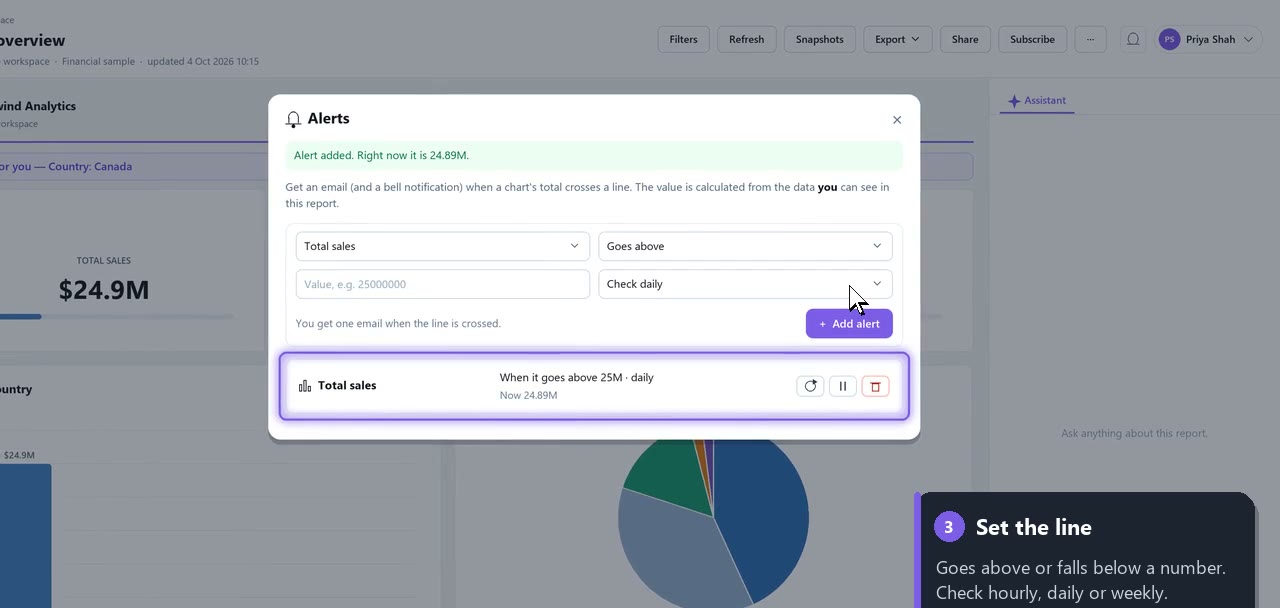
- Open the report and choose More → Alerts.
- Pick the chart, for example Total sales.
- Choose goes above, type
25000000, keep check daily, and choose Add alert.
You see today's value straight away ("Right now it is 24.89M"), so you know how close you are.
Not spam: once per crossing
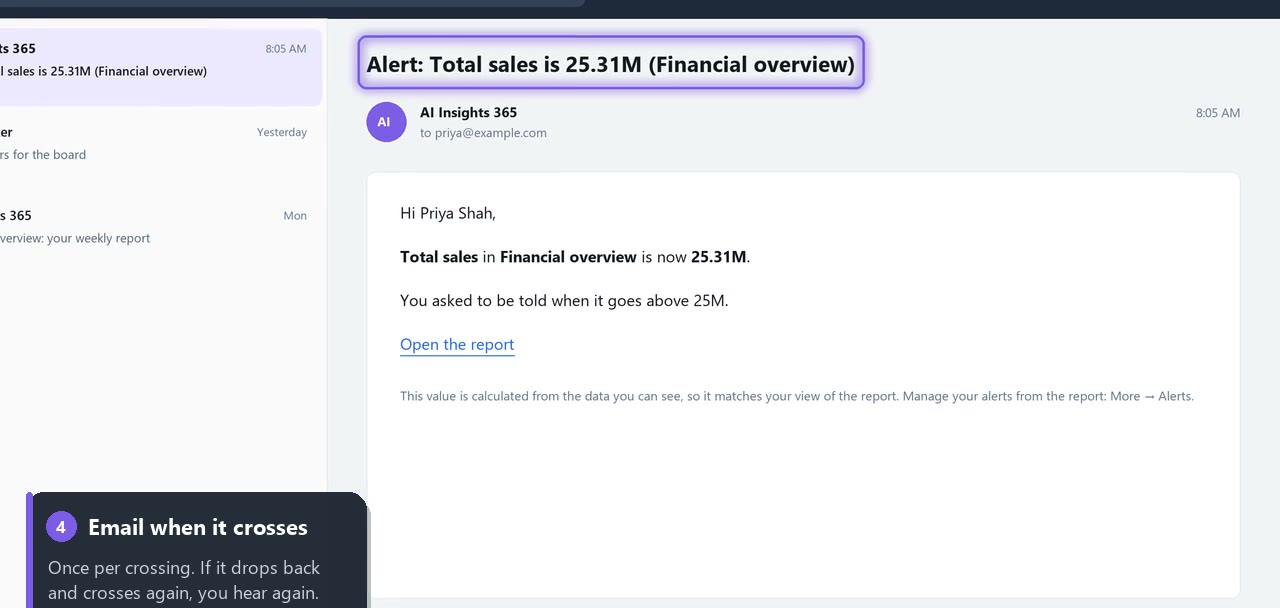
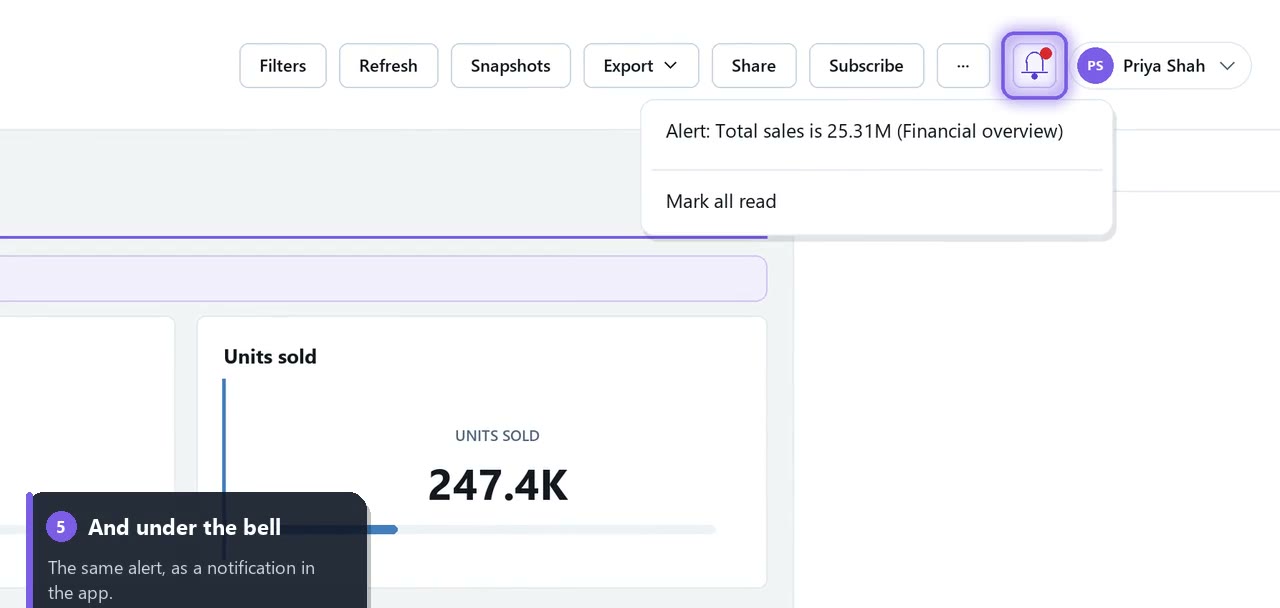
A threshold alert emails you once, when the line is crossed, not on every check while the number stays above it. If it drops back and crosses again, you hear about it again. The alert also appears under the bell in the app, so you see it the next time you sign in.
Everyone watches their own numbers
Alerts are calculated from the rows you can see. If your regional manager only sees Canada through row-level security, her alert watches Canada's total, and her email only shows her figure. Readers can set alerts for themselves, and each person's alerts are private.
Three alerts worth setting today
- Daily revenue falls by 20%: catches a broken checkout or a payment outage before the week is lost.
- Inventory value falls below your reorder level: no more surprise stock-outs.
- Monthly spend goes above budget: finance hears about it the day it happens, not at month-end.
Try it on your own data
Upload a spreadsheet or connect a database, ask for the chart in plain English, and put an alert on it. Your first report is free, with no credit card.
Build your first report free →
Read the full guide: Data alerts · Watch the video: Data alerts in 74 seconds